Modes
The Modes tab maps flight modes and other switchable features onto transmitter auxiliary channels -- defining which switch position(s) activate ARM, Attitude Hold, Auto Trim, Trainer Mode, and any other mode supported by the firmware.
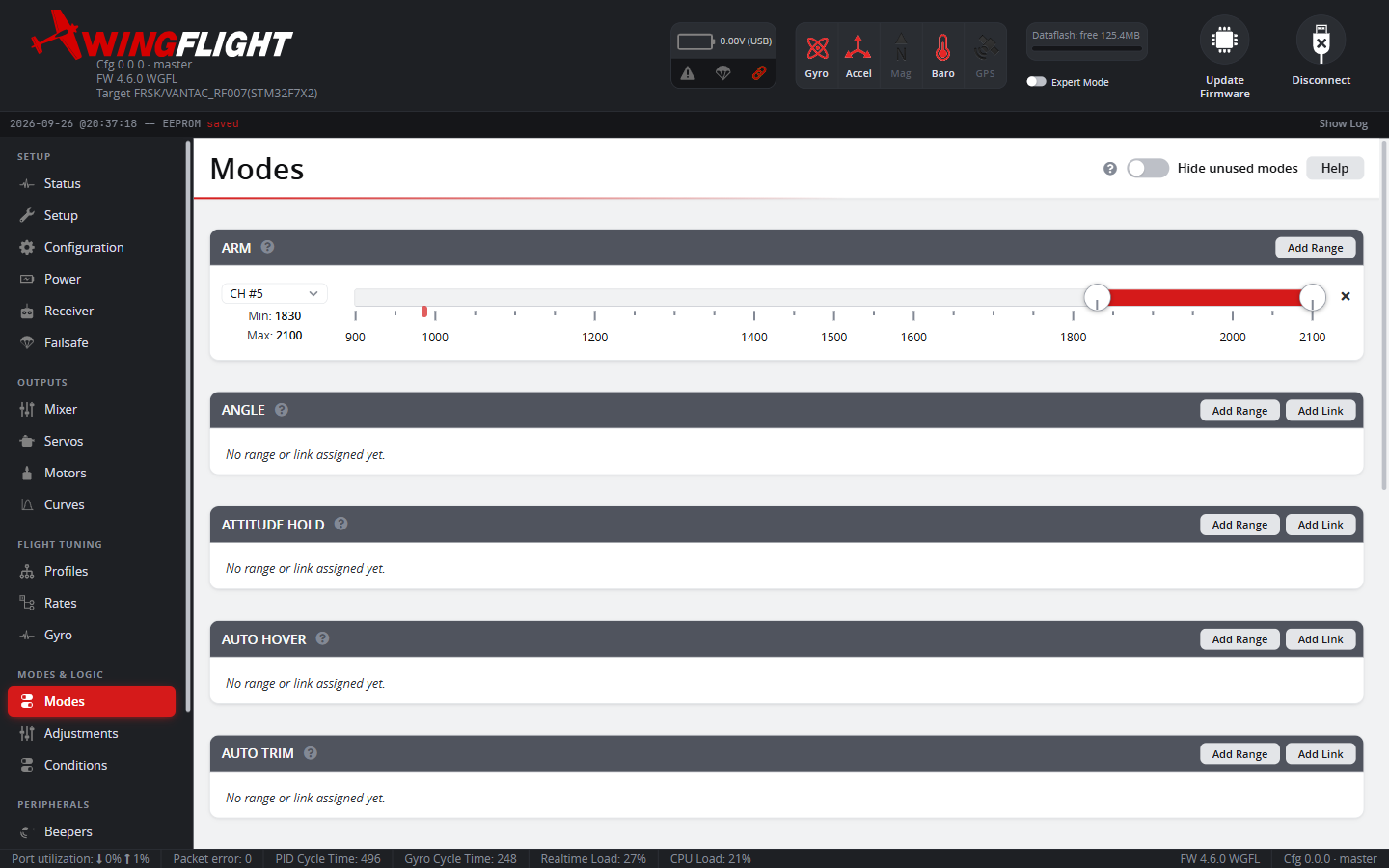
Each mode card shows the live channel position (a marker on the slider) so you can confirm a switch flip actually lands inside the range you've set, without needing to fly to find out.
Ranges and Links
A mode activates from one of two kinds of assignment, and a single mode can have several of either:
- A Range watches one receiver channel -- the mode is active whenever that channel's value falls between the Min/Max you set, so a 3-position switch can, for example, leave a mode off, on, or on-with-a-different- range depending on position.
- A Link activates a mode automatically whenever a different mode is already active -- useful for bundling modes together (e.g. always enabling one mode alongside another) without needing a spare switch or matching their ranges by hand. ARM can't be linked to or from, and a mode already defined by a link can't itself be linked to (no chained links).
When a mode has more than one Range/Link, each one past the first gets an AND/OR setting: the mode activates when all of its AND conditions are true, or when at least one OR condition is true.
Changes here don't take effect on the flight controller until you hit Save.
Choosing a training mode
Use ANGLE for stick-commanded attitude and a return toward level when the sticks are centered. Use TRAINER for normal rate control with pitch/bank limits and no self-leveling. See Trainer Mode for a comparison and setup instructions.
TRAINER is available without Expert Mode in updated Configurators; older versions hide it behind Expert Mode. It also requires an available accelerometer and firmware built with trainer support. If Hide unused modes is enabled, turn it off to find a mode that has no switch range yet.
Give ANGLE and TRAINER separate switch ranges: enabling them together does not combine their behavior.