Curves
The Curves tab has three categories -- Mixer, Gain and Servo -- selected from the tabs along the top. Mixer and Gain each hold a pool of up to 8 reusable curves. You edit a curve here, then assign it by number wherever it's used -- a Mixer rule, or a Profiles axis -- rather than defining the shape inline there. That reuse is the point: editing curve 3 here updates every rule or axis currently assigned to curve 3, so one curve can shape several things identically at once. Servo balance curves work differently: there is one per physical servo, not a shared pool (see Servo Balance Curves).
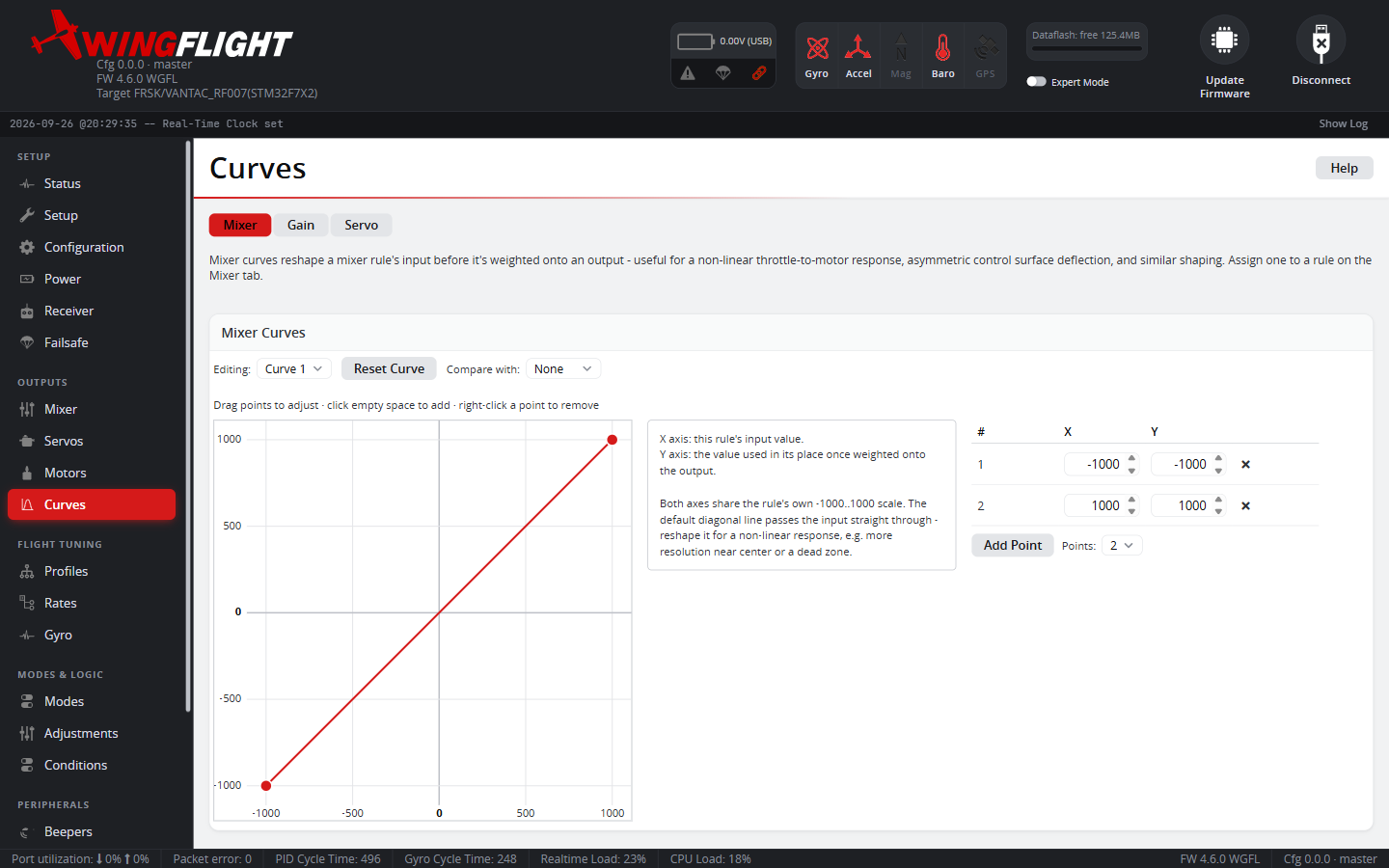
Mixer Curves
X: the mixer rule's input value. Y: the value substituted in its place once weighted onto the output. Both share the rule's own -1000..1000 scale. The default is a straight diagonal -- input passes straight through unchanged -- so there's nothing to assign until you deliberately bend it: more resolution near center, a dead zone, an asymmetric response, a non-linear throttle-to-motor curve, and so on. Assign one to a rule from the Mixer tab.
Gain Curves
X: stick deflection, 0% (centered) to 100% (full throw) -- the same curve applies in both directions, it doesn't distinguish left from right. Y: a gain multiplier, 0-500%, where 100% means no change. The gain actually applied in flight is Master Gain (set per axis in Flight Feel on(profiles.md#flight-feel), with the curve assigned in the Expert Mode Gain Curves panel) multiplied by this curve's value at the current stick position -- so a flat line at 100% has no effect at all. Drag a point below 100 to taper gain out as the stick moves that way (a softer response out toward the ends of the stick), or above 100 to sharpen it there.
Assigned to the Throttle row, the X axis is throttle (0-100%) instead of stick deflection. Assigned to the Speed row, it is GPS speed, from 0 to the speed curve range set in the Gain Curves panel -- see Speed.
Servo Balance Curves
When two or more servos drive the same control surface -- dual ailerons, say -- small differences in the servos or linkages mean they never track each other perfectly, and the surface can twist or bind at the extremes. A balance curve trims one servo's travel to match its partner across the whole throw, the same idea as the "Balance channels" tool on FrSky ETHOS.
There is one curve per servo, labeled Servo 1, Servo 2 and so on to match the Servos tab; if none are configured yet, the tab asks you to set up servos first.
X: the servo's own output, -100% to +100%. Y: a small correction added on top of it at that point, -10% to +10%. It is a corrective delta, not a reshape, so the default flat line at 0 adds nothing. The correction is applied after mixing, and after geometry correction if the servo has it enabled.
To balance a pair, pick one servo to leave flat and nudge the other servo's curve up or down at the points where the two disagree -- usually near full deflection. A servo with an active curve shows a curve icon on the Servos tab that jumps straight to its curve.
Editing a curve
- Drag a point to move it, click empty plot space to add one, or right-click a point to remove it -- or use the point table alongside the plot for exact numeric values. Mixer and Servo curves allow up to 9 points; Gain curves up to 6.
- The first and last point are pinned to the curve's domain extremes (-1000/1000 for Mixer, -100%/100% for Servo, 0%/100% for Gain) and can't be deleted or dragged in X, only Y -- they define where the curve starts and ends, so at least two points always exist and always span the full range.
- Reset Curve returns the currently selected slot to a neutral straight line (no reshaping, no gain change).
- Compare with overlays a second curve of the same category on the plot without letting you edit it, so you can line one up against another -- typically a paired servo's balance curve while you trim this one. Editing picks the curve you're actually changing.