Flashing the Firmware
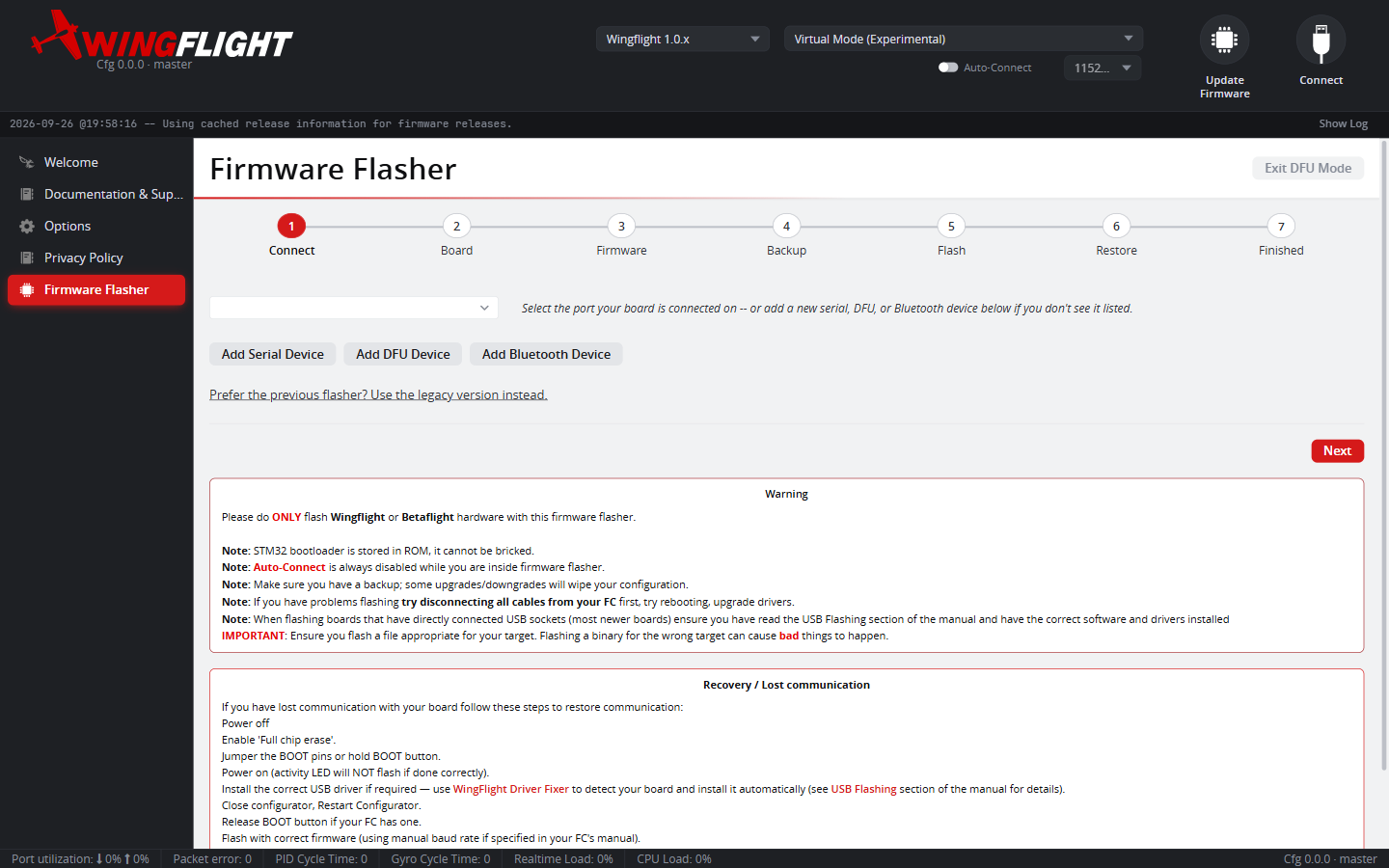
Firmware is flashed from the Configurator's Firmware Flasher tab, which walks you through the whole process as a step-by-step wizard.
Picking a build
WingFlight firmware is currently published as numbered development
snapshots (e.g. 0.0.23) rather than stable releases, while the project is
in its early stages. The Firmware Flasher lists available builds per target
board, pulled from the project's build history.
The flashing wizard
The wizard has seven steps, shown along the top. Back and Next move between them.
- Connect -- choose the port your board is on. If it isn't listed, add a Serial, DFU or Bluetooth device from this step. The desktop app picks up newly plugged-in devices automatically; the browser build asks for permission through its device chooser.
- Board -- pick your target board. Detect My Board reads it from a connected flight controller, or Select board manually instead if you would rather choose it yourself (or the board is in DFU mode, which can't be auto-detected). The selected board's default config is combined with the firmware at flash time.
- Firmware -- Load Online and Load Local sit side by side on
one row: choose an online release or development build for your board, or
load a
.hex(and optional.config) you already have. What is loaded shows in a status panel beneath the buttons. Skipping the Board step and flashing a local file flashes it exactly as loaded, with no default config combined in. - Backup -- capture your current configuration with Back Up Now before it's erased; see Before you flash.
- Flash -- a one-line summary of the target and version; Show
details reveals the full release info and lets you save the firmware
(
.hex) and config (.config) files. Start the flash from here. - Restore -- once the new firmware boots, the wizard offers to restore the backup taken in step 4.
- Finished -- shown once the restore succeeds or is skipped, or when you flashed without a backup. It says plainly that the update is complete, so you know it is safe to close the window or disconnect the board.
Flash Another Board starts the wizard over when you're done. Anyone who prefers the previous, single-page flasher can switch to it from a link on the Connect step and return with Back to wizard.
DFU mode
Most WingFlight boards flash over USB using STM32's built-in DFU (Device Firmware Upgrade) bootloader:
- Put the board into DFU mode (usually a boot button held while powering on, or a dedicated bootloader pin/jumper -- check your board's documentation).
- On the Connect step, select the DFU device (use Add DFU Device or Select DFU Device if it isn't listed).
- Choose your board and firmware version.
- Flash.
A DFU connection is enough to flash, but not to auto-detect the board or run the backup and restore steps -- those need a normal serial connection.
Before you flash
If you're updating an existing setup rather than flashing a fresh board,
back up your configuration first. The wizard's Backup step does this for
you (see Backup & Restore); you can also take a
CLI diff all / dump all snapshot yourself. A firmware update can change
parameter layouts between versions, and having a backup makes it much easier
to recover your tune afterward.
Updates can reset your configuration
Some firmware updates change how settings are stored. When the firmware finds saved settings it can't read, it discards them and starts from defaults, so some or all of your settings may be reset on first boot. Always take a backup first -- the wizard's Backup step does this -- and restore it afterward.
If you lose communication with a board
Power off, enable Full chip erase, jumper the BOOT pins (or hold the BOOT button), and power on -- the activity LED will not flash if that worked. Install the correct USB driver if your OS asks for one, then flash again.